This is a worked example with a made-up insurer, Harborline Mutual, and made-up people. It follows one app from idea to daily use. The screens are from Studio running locally with that fictional data.
Harborline Mutual's Central claims desk
Maya Chen leads a team of adjusters. Every new first notice of loss (FNOL) gets the same first read: find the claimant, policy number, date and place of loss, check what is missing for that line of business, and write a short acknowledgement asking for it. It is careful work, it is the same every time, and it is the reason new claims wait.
She does not want an engine that decides claims. She wants the first read done consistently, with her adjusters reviewing every result before anything goes to a claimant.
Describing it
Maya opened the builder and wrote one paragraph: upload a first notice of loss PDF, pick the line of business and the adjuster's region, extract claimant, policy number, date of loss and loss description, flag missing fields, and draft an acknowledgement email to the claimant. She named it FNOL Intake Assistant and pressed Draft my app.
On the machine used for these screens no model was configured, so the template generator produced the draft: valid, but generic, with two inputs and three steps called intake, process and report. On an install with Bedrock or an Anthropic key, the same paragraph comes back with fields and steps that follow the description. Either way, the next step is the same: read it and fix it.
Editing the draft
Maya made four edits in the review step:
- Widget. Four inputs: the FNOL file (required), line of business as a select (personal auto, homeowners, general
liability; required, because it decides which fields are mandatory), adjuster region as a select, and the date received. Three
steps,
extract,gapsandack_email, and three panels keyed to them: a JSON summary, a table of missing fields and an editable email. - Workflow. One prompt per step. The second step compares
{{extract.output}}with the required fields for{{line_of_business}}; the third asks only for what step two found missing and must not state or imply a coverage decision. - Plan. Good output quotes the page each field came from. Escalate to a human if injury, fatality or litigation is mentioned anywhere, or if the policy number is missing or does not match the claimant.
- Metadata. Category Insurance, a short description for the card, and an icon.
Testing it
In the test step she uploaded a sample FNOL for a fictional claimant, chose Personal auto and Central, and ran it. The run log showed each step start and finish, and the three panels filled in order.
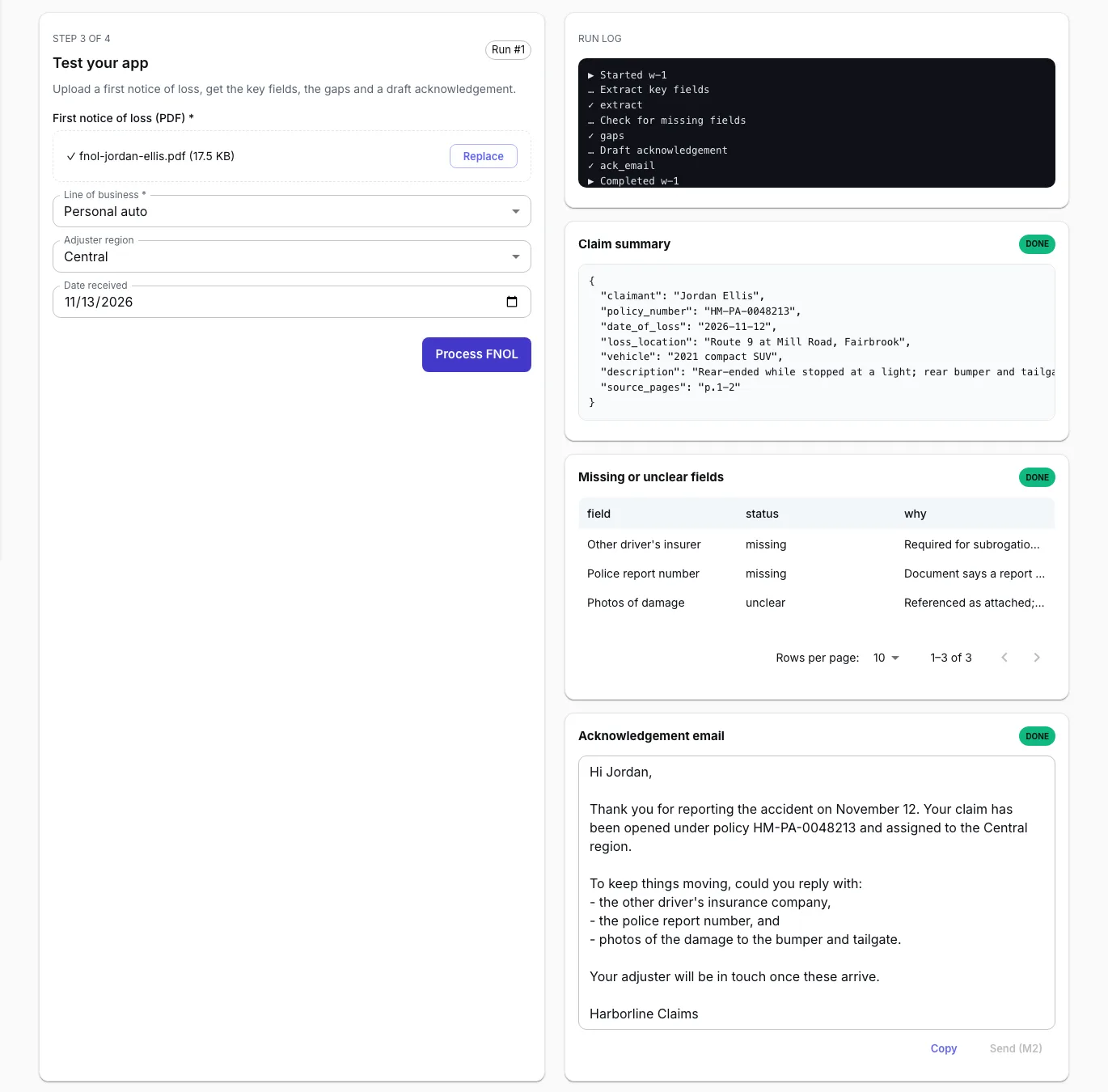
Two things she checked that are worth copying. The email panel is editable and has a Copy button; the adjuster reviews the draft and stays the one who sends. And the gaps table is the real value: it turns "read the whole PDF again" into three rows to chase.
Publishing and sharing
The validator reported the bundle as spec-correct. She published it as v0.2.0 with the note "First release for the
Central region claims desk", then opened Manage on the app page and added two grants: run for the
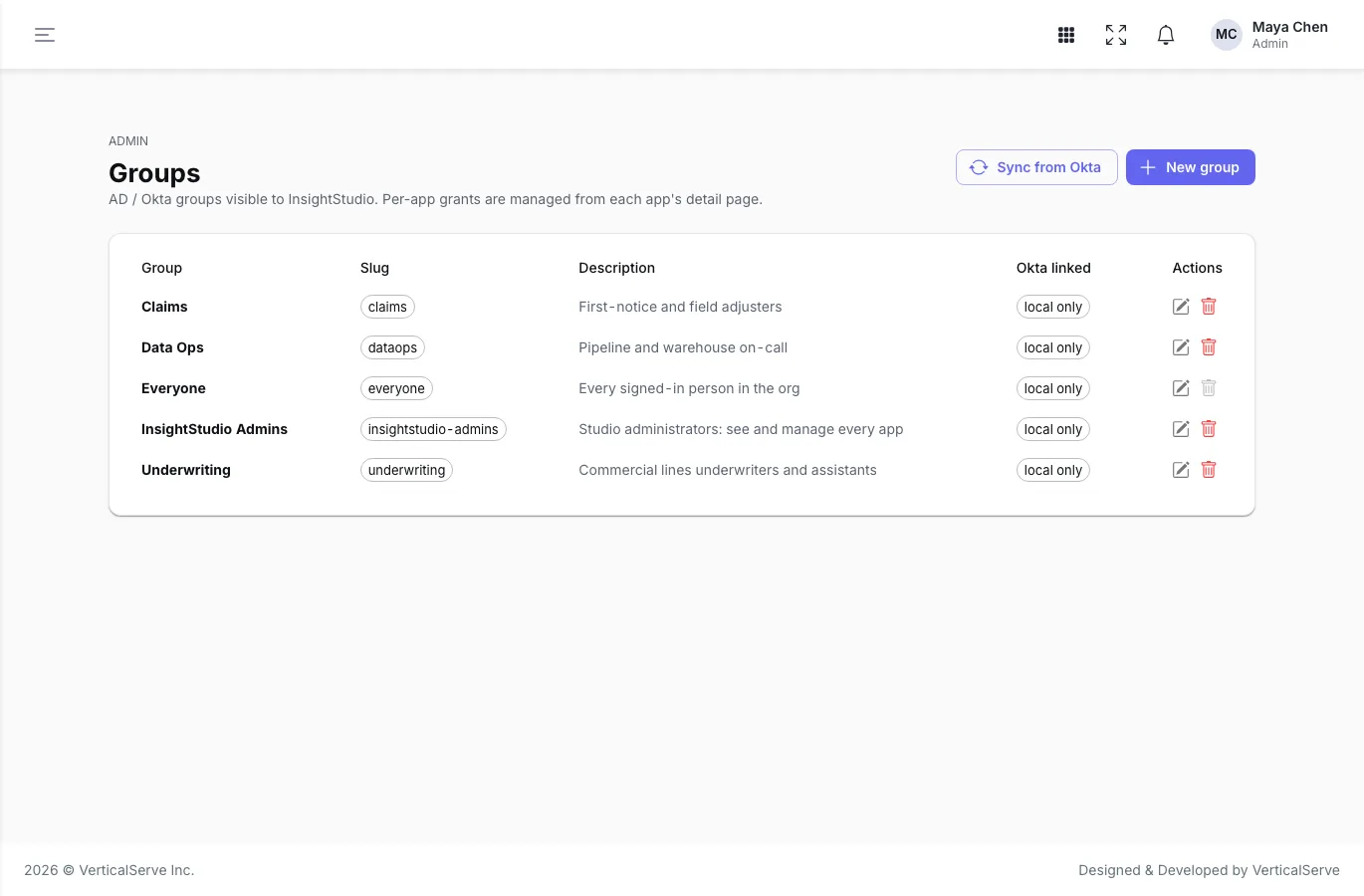
Claims group, and edit for Daniel Okafor, a senior adjuster who would help maintain it.
Because the grant is to the group, adjusters who join the Claims group get the app without anyone touching Studio.
A week later Daniel suggested a new escalation rule: stop and hand over when a second vehicle or third-party property is involved. He edited the plan, which created a new draft and left v0.2.0 untouched for the adjusters. Maya published it as v0.3.0; v0.2.0 stays in the history with a Roll back button if the change causes trouble.
What the adjusters see
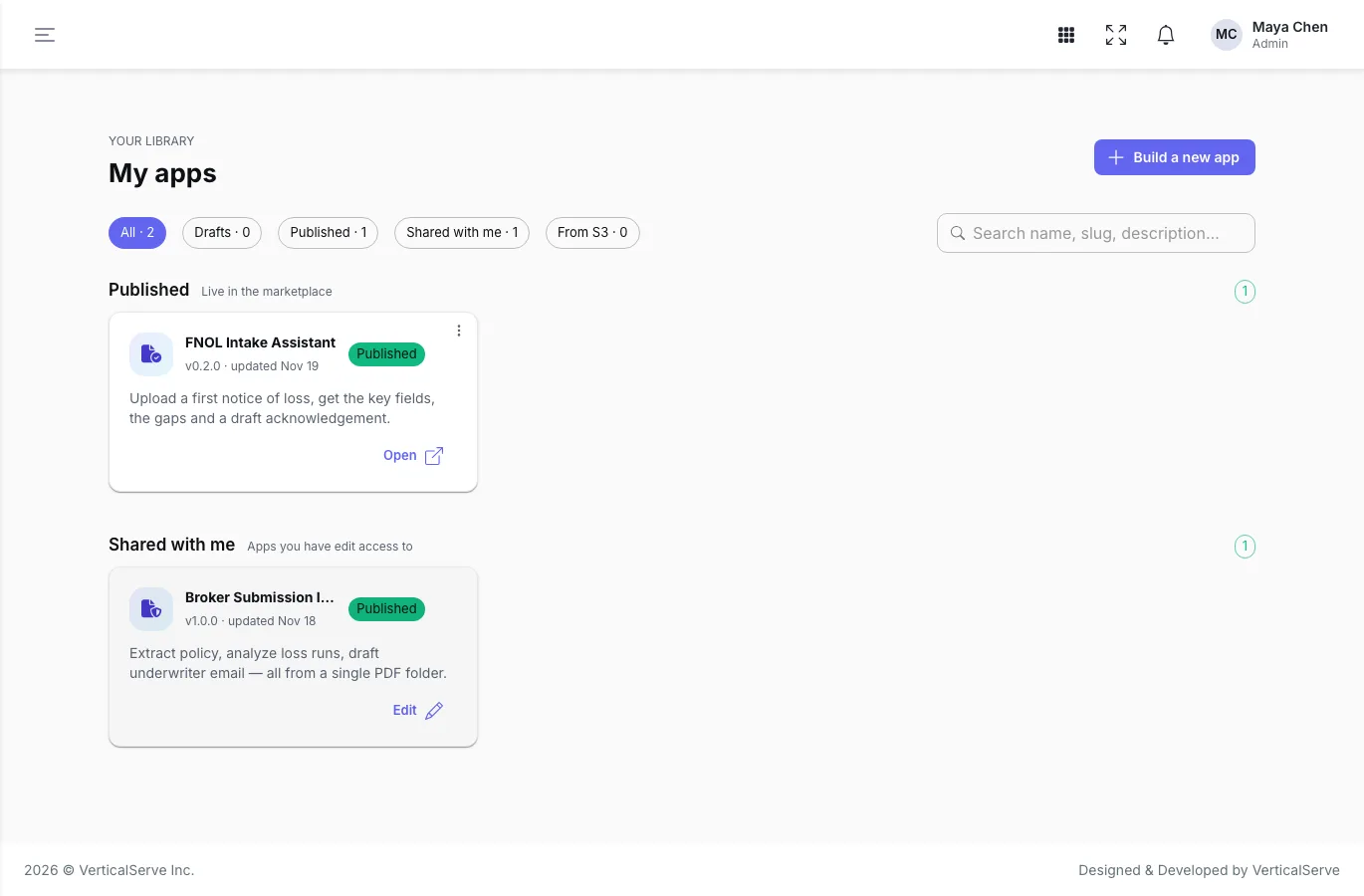
An adjuster in the Claims group finds the app in the marketplace under Insurance, opens it, uploads the FNOL, picks the line and region, and presses Process FNOL. They never see the builder. Every run they start is in their My runs list with the version that ran it, which is what Maya uses when someone asks "why did it flag that?".
What made this work, and what to watch
- A narrow job. The app does the first read and nothing else. Decisions stay with people.
- Escalation written down. The plan's escalation list is short and specific, and it is versioned with the app.
- Credentials on the worker. The worker that processes FNOLs is the one with access to the claim documents; register it with those credentials so Studio routes FNOL runs to it.
- Regulated communication. Claim acknowledgement timing and content are regulated in many jurisdictions. This is general information; check your own obligations, and keep a person reviewing every message.