When the builder drafts an app, or an engineer runs iw app publish, the result is the same thing: a bundle of four
text files. Studio stores them on each version, shows them in the builder's tabs and, when a bucket is configured, writes them to
apps/<slug>/v<version>/. Understanding the four files is the quickest way to understand what an app can and
cannot do.
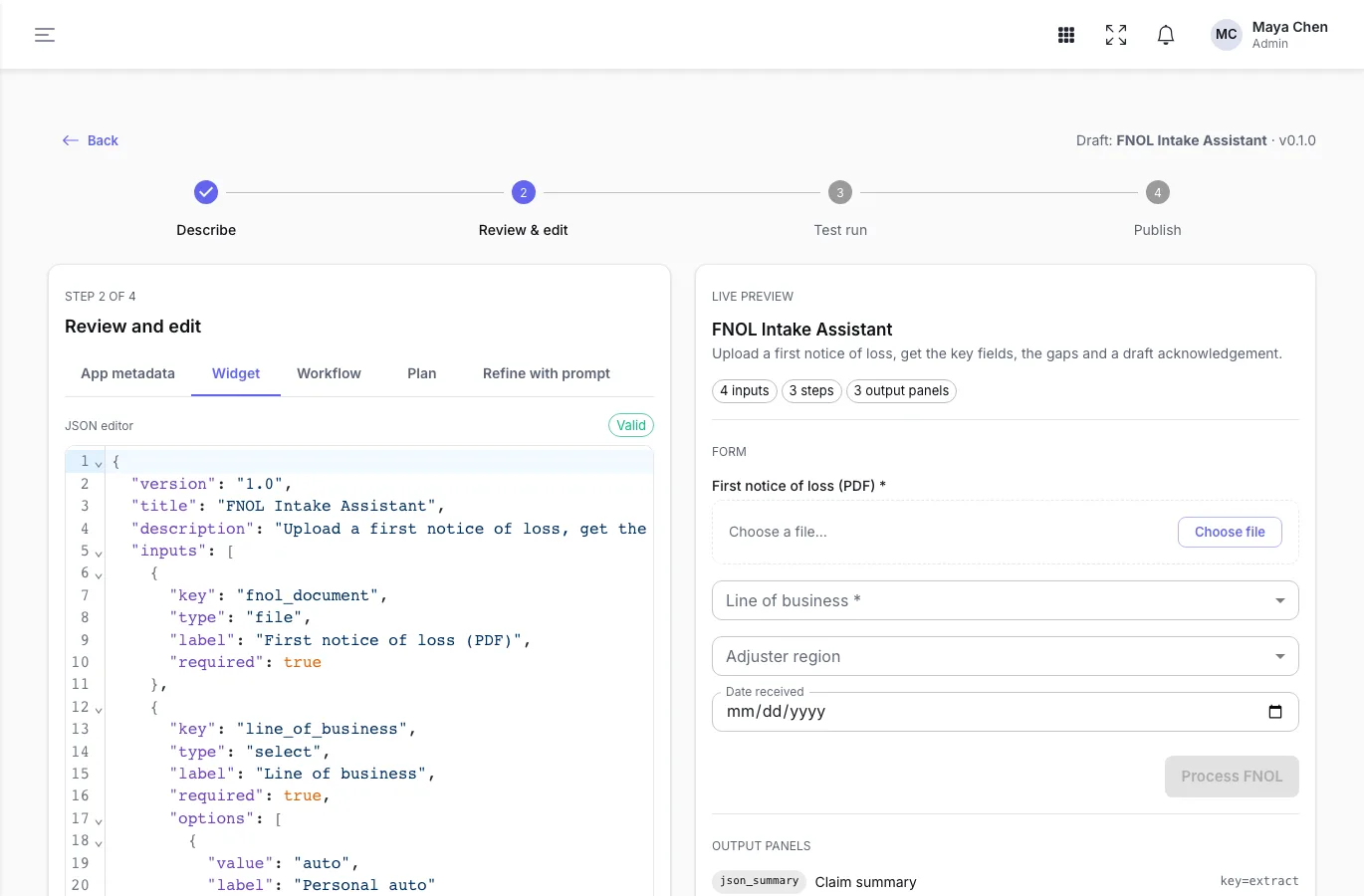
widget.json: the form and the panels
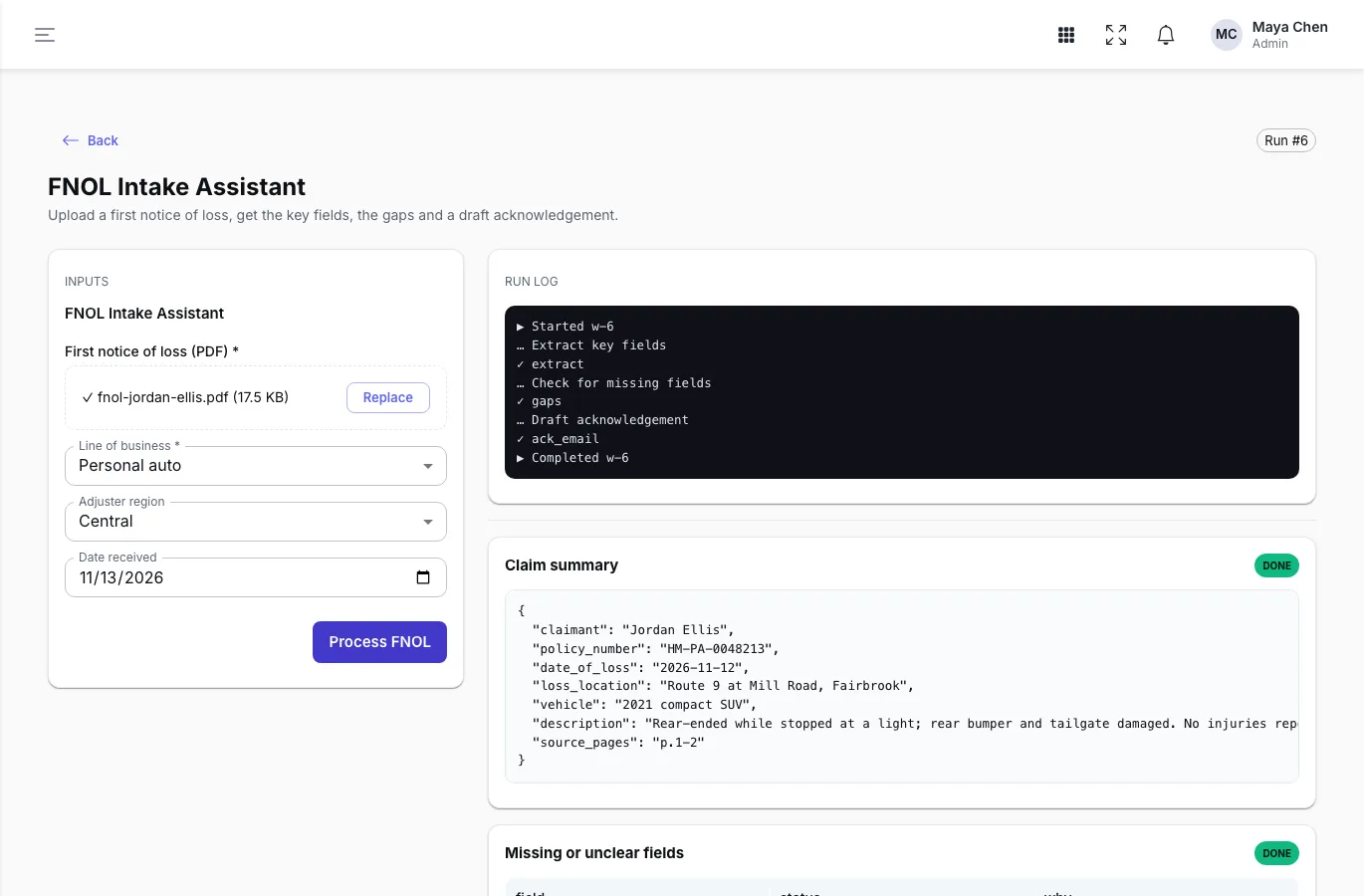
The widget is what a person sees. It has a title and description, a list of inputs, a submit block with the button label and the ordered list of steps, and a list of outputs: one panel per result the person should see.
| Input types | Output panel types |
|---|---|
text, textarea, number, date, checkbox | json_summary: a structured record, shown as formatted JSON |
select, multiselect (with options) | dataframe: rows in a paged table |
file (uploaded, passed as a reference) | markdown: a written report |
folder (a path on the worker) | editable_text: a draft the person can edit and copy, such as an email |
files: generated artifacts to download |
The rule that matters most: each output's key must be the id of a step. When a worker reports that
step gaps completed, its output goes to the panel whose key is gaps. A panel whose key matches no step is a
validation error, because it would never fill.
workflow.yaml: the steps and their prompts
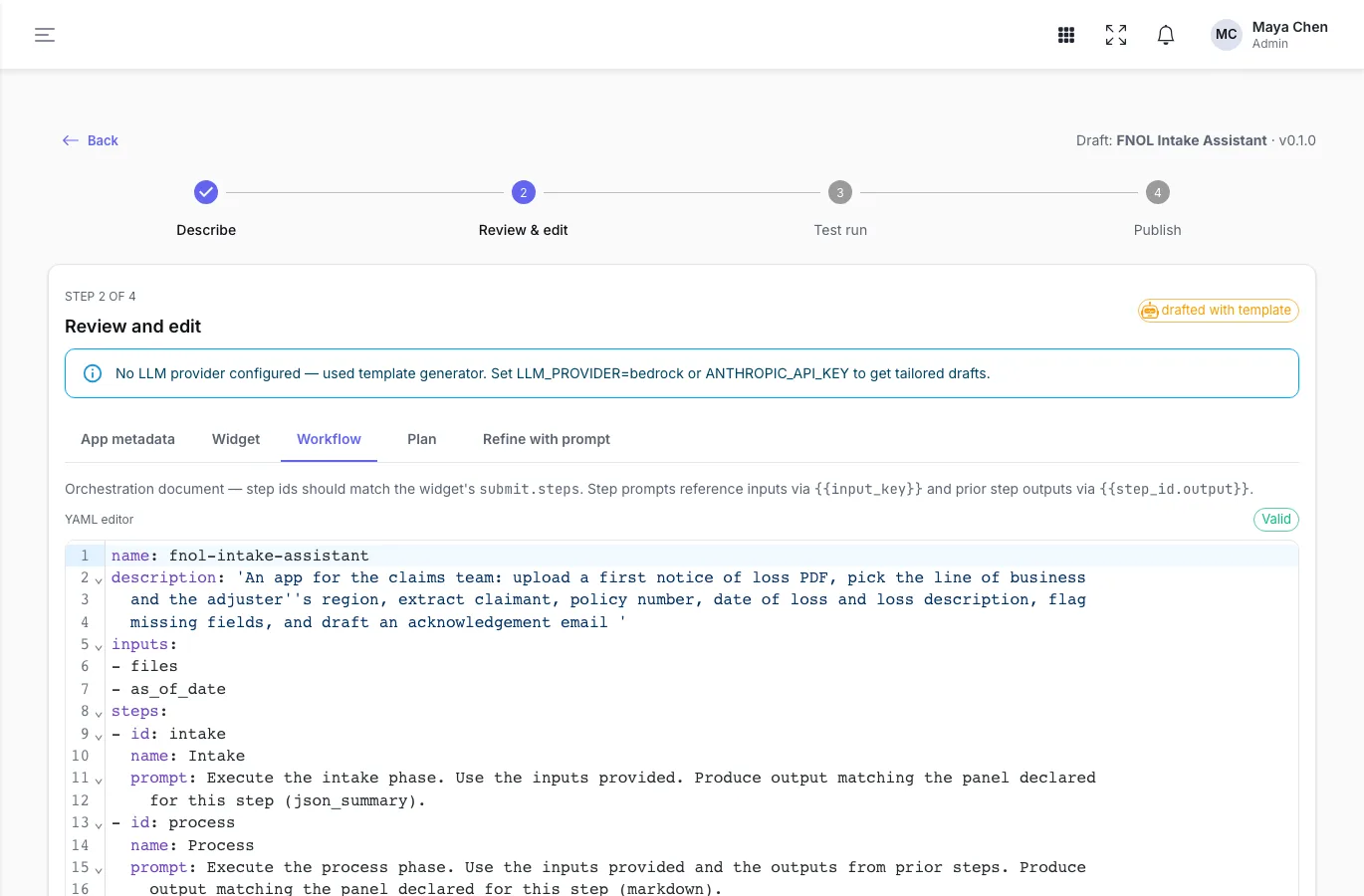
The workflow is what the agent runs. It repeats the input keys and lists the steps with the same ids as the widget, each with a
name and a prompt. Prompts refer to form inputs as {{input_key}} and to earlier results as
{{step_id.output}}, which is how the second step of the FNOL app knows what the first one extracted. A prompt that
still contains TODO produces a warning, because it usually means a draft was never finished.
plan.md: the agent's playbook
The plan is read by the agent at run time. Studio expects five headings: What this app does, Inputs the user provides, Steps the agent takes, What good output looks like and What to escalate to a human. Missing headings are a warning rather than an error, but the last two are where an author encodes judgment: what a good result looks like, and when the agent must stop and hand over. For a claims app that is "injury mentioned anywhere"; for a data app it might be "the fix would touch production tables".
app.yaml: the product record
app.yaml is bookkeeping, and the builder writes it for you: name, slug, version, description, a short description for
the marketplace card, category, tags, icon, owner, visibility, release notes and a requires block listing skills and
credentials the app needs. It also declares a mode:
transactional(the default): a person fills the form and waits for the result.worker: no form; the app runs from triggers, and the validator insists the triggers list is not empty.hybrid: both, and its surfaces must include a widget.
requires block is recorded with the version, and workers advertise their installed skills and credentials when they register. Studio uses the two to route each run to a worker that is qualified for it, so declare what an app needs accurately.What the validator checks
The publish step calls the same static checks the CLI runs before iw app publish, so a bundle that passes in one
passes in the other. Errors block publishing:
app.yamlparses, has name, slug, version and description, and its slug matches the app;- visibility, if present, is
private,orgorpublic; the mode's required blocks are present; widget.jsonparses (and exists, unless the mode isworker), input keys and step ids are unique, every input and output type is one of the allowed types, every output key names a step;workflow.yamlparses.
Warnings (TODO prompts, missing plan headings, a missing plan) are shown but do not block. A clean bundle shows Bundle is spec-correct on the publish step.
Why four files instead of one
Splitting the app this way lets different people own different parts. A business author can change a label or add a select option
in the widget without touching prompts. An engineer can tighten a prompt in the workflow without breaking the form. A reviewer can read
plan.md in two minutes and know what the agent will escalate. And because every version stores all four files, you can
always see exactly which form, prompts and playbook produced a given run.